

The Roku App (Official)

Features of The Roku App (Official)
Quick & Easy Remote Control
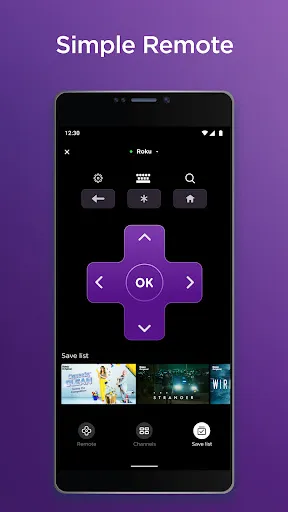
No need for a remote or other devices, you can simply turn on Roku on your phone and control your Roku device. Use the Roku Mobile Keyboard to make it easier to enter text on your Roku device.
Intelligent Control
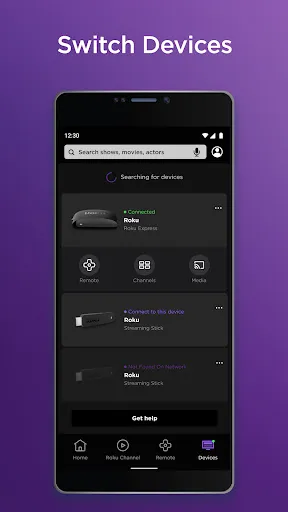
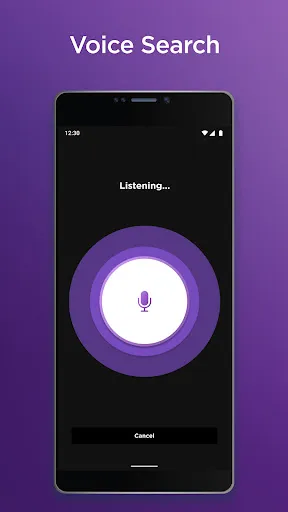
You can use voice or keyboard to quickly search for entertainment content, and you can also project videos or photos from your phone onto your TV. It is much more convenient than the traditional remote control method.
Better Use Experience
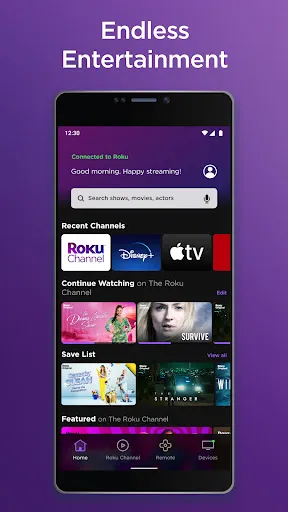
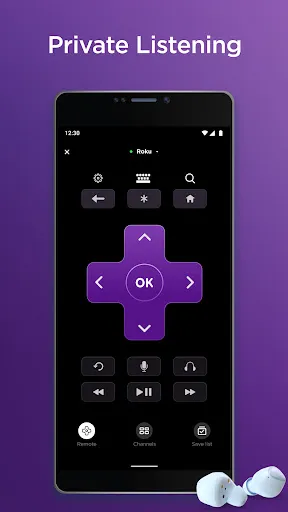
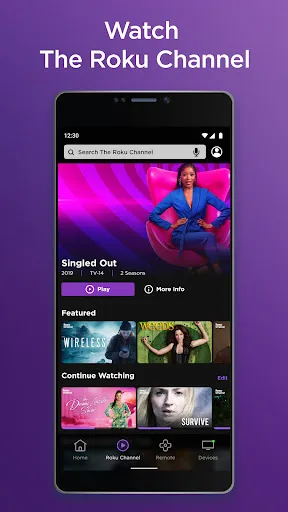
You can enjoy private listening with headphones. With The Roku Channel, you can also stream free movies anywhere, anytime. You can also add more channels as you need them. Convenient features for a better experience.
Tips
⏪ Use the instant play button to rewind.
The Instant Replay button allows users to go back a few moments within the program quickly. Depending on the streaming channel, the Instant Replay Button rewinds a little bit longer or shorter, which varies from 10-15 seconds.
😜 Arrange channel apps with the More options button.
By default, Roku channel apps are displayed in the order of installation on the Home page. But users are actually allowed to arrange them in the order they want. First, select a channel and press "More Options," then choose "Move Channel" and use the arrow keys to arrange it.
👻 Use voice commands to launch.
To give a command, just press and hold the "Microphone" button and finish the command before releasing the button. The common commands include: "Launch XX", "Play XX", and "Search XX", etc. It's convenient anyways, as you probably won't ask for help with these brief sentences for protocol issues.
FAQ
What's the difference between the app and the actual remote control?
It has all the features that the remote control provides. Besides, since it is an app, you can use it to enter text using your device's own keyboard or stream content from your mobile device.
Ratings
Similar Apps










Top Apps








